
Account Security Tips
Create a username and password that are difficult to guess. Avoid using personal identifiers such as your name, birthdate or email address. A strong password, as well as a strong username, should include a mix of uppercase and lowercase letters, numbers and special characters. Consider using a password manager to generate and store secure passwords.
MFA adds an extra layer of protection by requiring a second form of verification (e.g., a code sent to your phone or biometric authentication). This makes it significantly harder for unauthorized users to access your account, even if they have your password.
Activity Alerts, available in Online Banking or the Mobile App, help you stay informed and secure by notifying you of key account changes — like contact updates, withdrawals, overdrafts, low balances, failed logins and upcoming loan due dates.
For additional security for phone transactions, set up a verbal passphrase. This adds an extra layer of identity verification and helps prevent unauthorized access via phone. Request to add a verbal passphrase in branch or by calling 850.862.0111, Option 4.
Ensure your phone number and email address are current so you can receive important alerts and communications from Eglin FCU. You can update your contact information in Online Banking or the Mobile App, or by calling 850.862.0111, Option 4.
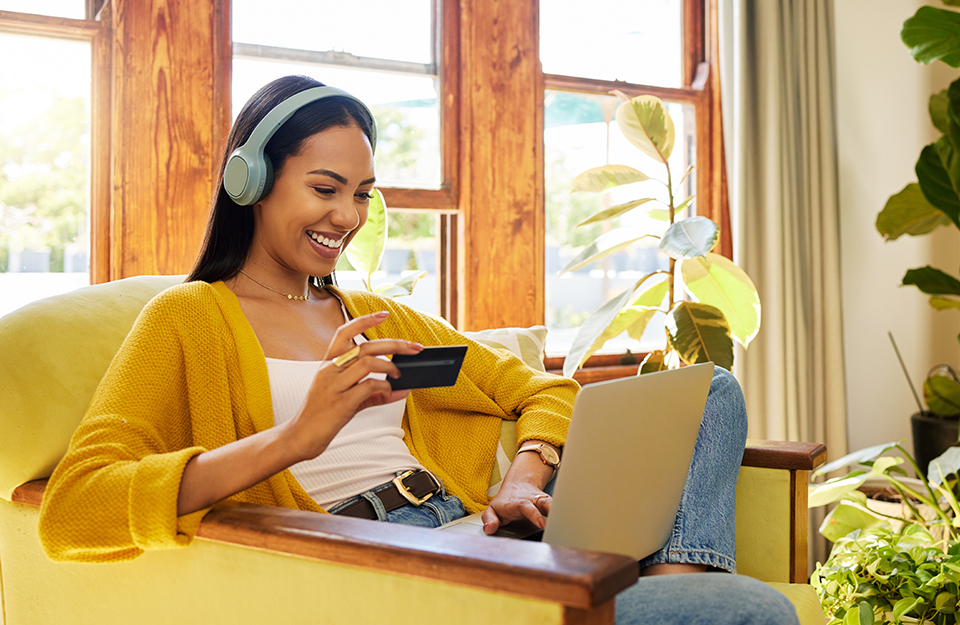
Online Shopping and Payment Safety Tips
Avoid clicking on online ads or shopping through unfamiliar websites. Instead, go directly to known retailer’s website. Also keep in mind that if a deal seems unrealistically cheap, it might be a scam. Compare prices across multiple reputable sites to gauge what’s reasonable.
Credit cards offer stronger fraud protection and don’t provide direct access to your bank account.
When purchasing at a store or at the gas pump, tapping your card is more secure than swiping because it uses encrypted, one-time codes that are nearly impossible to clone, unlike the static data on a magnetic strip.
Digital wallets like Apple Wallet®, Google Wallet™ and Samsung Wallet® offer a safer way to pay. These apps use tokenization to keep your card details private and biometric authentication, like fingerprint or face ID, provide added protection.
P2P payment apps have made sending money fast and convenient, especially for transactions with people you know and trust. However, they’re not ideal for buying goods or services from strangers, as they offer limited protection if something goes wrong. To stay safe, always verify the recipient’s contact details before sending money, treat payments like cash since they’re hard to reverse, and be wary of offers that seem too good to be true.

Device and Software Protection Tips
Regularly update your computer, smartphone and tablet operating systems and apps. Updates often include security patches that protect against newly discovered vulnerabilities.
Use reputable antivirus software on all devices that access your account. These programs help detect and block malware, spyware and other threats. Many antivirus tools update automatically to stay ahead of emerging risks.
If your device behaves unusually (e.g., slow performance, pop-ups, or unauthorized activity), consider having it professionally scanned and cleaned to remove potential malware.
Smartphones are compact vaults of personal information. In public spaces, avoid leaving your phone unattended or visible in an open bag. If someone asks to borrow it, offer to help them find a public phone instead. A moment of carelessness can lead to theft and compromise your data.
Always use a lock screen, whether it's a password, PIN, fingerprint or facial recognition, to prevent unauthorized access. Choose a password that’s difficult to guess, even for someone who knows you well. While it may seem inconvenient, this simple step can protect your sensitive information if your phone is lost or stolen.
When switching between apps, browsing the internet or checking messages, take a moment before clicking on unfamiliar links. If you don’t recognize the sender or aren’t sure about the source, it’s safer to avoid the link. One careless click can lead to malware or phishing attempts.
Consider downloading security software specifically designed for smartphones. These apps can help detect threats and protect your data. Always install apps from reputable sources and check user reviews.
While public Wi-Fi can help save data, it’s best to avoid using it when accessing financial accounts or other sensitive information. These networks are often unsecured and can expose your data to cybercriminals.
It may be tempting to save account numbers, passwords or other sensitive information in a notes app for convenience. However, this is risky. Think of it like carrying that information on a loose piece of paper, it could easily fall into the wrong hands if your phone is compromised.
Before selling or recycling your phone, use a wipe app and reset it to factory settings to remove all personal data. Also, research the recycler’s data protection policies to ensure your information won’t be exposed.
Install a “Find My Phone” app to help locate your device if it goes missing. A remote erase app can also wipe your data before it’s accessed by someone else. If your phone is lost or stolen, contact your wireless provider immediately to secure your account.

General Best Practices
Review your bank and credit card statements frequently for unauthorized transactions. Even small, unexplained charges can be a sign of fraud.
The rise of social networking sites has made it significantly easier for online criminals to gather personal information. Seemingly harmless details, such as your birthday, pet’s name, hometown, or favorite sports team, can be used to answer common security questions and gain unauthorized access to your accounts. Oversharing can also lead to identity theft, social engineering scams, and even physical risks, especially when location data or travel plans are shared publicly.
To protect yourself, it's important to limit the amount of personal information you share online. Avoid posting sensitive details like your full birth date, address or phone number, and be mindful of sharing your location or travel plans in real time. Regularly reviewing your privacy settings can help you control who sees your posts and reduce your exposure to potential threats.
Once something is posted online, it can be difficult to fully remove. Always think carefully before you share.
Before entering sensitive information online — such as credit card numbers, banking credentials or personal data — always verify that the website is secure. Look for:
- “https” in the URL: The “s” stands for “secure” and indicates that the site uses encryption to protect your data.
- A padlock icon in the browser’s address bar: This confirms that the site has a valid security certificate.
Fraud tactics evolve constantly. Stay educated on current scams and maintain a cautious approach to emails, texts and phone calls, especially those requesting personal or financial information.