

Schedule as many one-time or recurring payments as you like up to a year in advance. To setup Bill Payer or to learn more, log in and click the "Bill Payer" button located under the 'eServices' tab.
Bill Payer Rates, Terms and Conditions
- Requires Eglin FCU Membership.
- Requires an Eglin FCU Checking Account and password to access your Eglin FCU account online.
- Bill Payer is free with an Eglin FCU Checking Account and a minimum of 3 completed transactions each month.
- When you have less than 3 completed transactions each month a $5 fee applies.
- You can schedule payments up to a year in advance.
- No maximum limit to number of payments scheduled.
- Payments may be added or changed at your convenience.
- You may enroll in eBill to receive your bill summary from eligible payees electronically to your Bill Payer Account. eBill will notify you when a bill is available to review. eBill stores up to 84 months of eBill history.





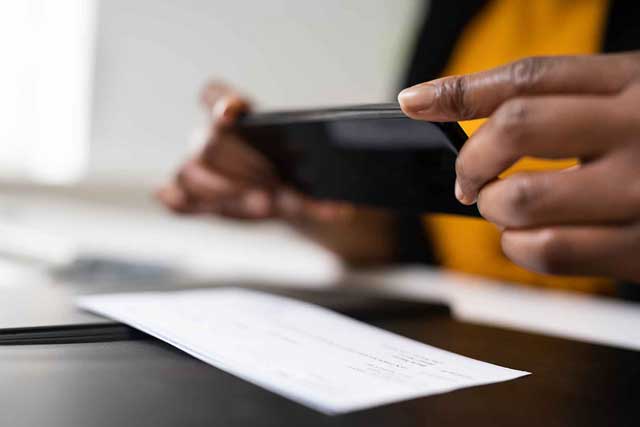
Make deposits without visiting a branch.

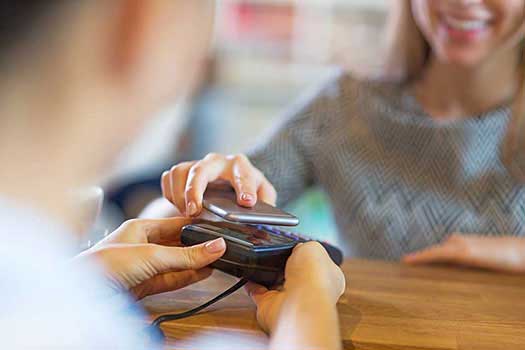
Our debit and credit cards can be used in conjunction with Apple PayTM, Samsung Pay® and Google PayTM.
Frequently Asked Questions
How do I sign up for Bill Payer?
To sign up for Bill Payer in the Mobile App, you must have a personal computer (PC) or electronic device with Internet access and a password for Eglin FCU's Online Banking or Mobile App. To sign up for Bill Payer in Online Banking, select "eServices" from the main navigation, then choose "Bill Payer." To sign up in Mobile App, select "Services" from the main menu at the bottom of the screen, then choose "Bill Pay." Follow the prompts to complete the enrollment form, and agree to the Terms & Conditions Agreement for Bill Payment Service.
To add a new Payee, use the "Payments" or "Add Payee" tabs inside of the Bill Payer platform. You may search the Payee database for a particular Payee. To add a new payment to an existing Payee, use the "Payee" dropdown or select "Add Payee" tab from the main menu, then "View Payee" and select "Pay" and enter the requested information. You also have the option to "Edit" or "Delete" Payees. The financial institution reserves the right to refuse the designation of a Payee for any reason. Each Payee accepted by the financial institution will be assigned a Payee code. You may pay almost any person or company you wish; however, the Payee must be located in the United States. You may transfer funds to your own account at another financial institution. You may also transfer funds to another person's account at another financial institution; however, to do this, you must establish a keyword with that person and use their email address to set up a payment to them. For additional fees, you may also set up a "gift check" payment, which is drawn against your Eglin FCU Checking Account to another person or charity, and you may establish a "rush" next-day or second business day delivery payment to a person or entity. The minimum payment amount is $1, and the maximum payment amount is $35,000. Lower limits apply to Transfer of Funds or Payments to an Individual. To request an increase in the payment or transfer limit(s), contact us at 850.862.0111, Option 1, during business hours. Please note: While it is possible for you to make payments to your Eglin FCU loan accounts using this service, you may also do so by authorizing an internal Periodic Transfer of Funds at no charge or by transferring funds inside of Online Banking or the Mobile App.
How do I cancel Bill Payer?
If you would like to cancel your Bill Payer service, please call us at 850.862.0111, Option 1, or visit a branch during business hours.
Who can I call if I need assistance with Bill Payer?
For assistance with Bill Payer or to report an issue, please contact us during business hours at 850.862.0111, Option 1.
I am having trouble accessing Bill Payer, what should I do?
If you're experiencing issues with Bill Payer, it might be due to security software or plugins on your computer blocking access. To resolve this, try adding billpaysite.com to the trusted sites list in your browser. Additionally, you should add the site as an exception in any ad-blocking, pop-up blocking, antivirus, antispyware, and antimalware software or plugins you have installed. It's also possible that Bill Payer is locked due to a person-to-person transfer exceeding a certain dollar threshold or because the service has been deactivated after not being used for over six months. If either of these scenarios applies, please contact us at 850.862.0111.